Listings live the same day
No waiting on an editor or a retouching queue. A full property set is ready while the valuation notes are still fresh.
For estate agents, letting agents and property photographers
Upload your property images, Pixetra prepares and edits the whole set: brighter rooms, tidier spaces, better skies and portal-ready files. Each edit is checked so the property itself never changes.
Upload & prepare — 24 photos
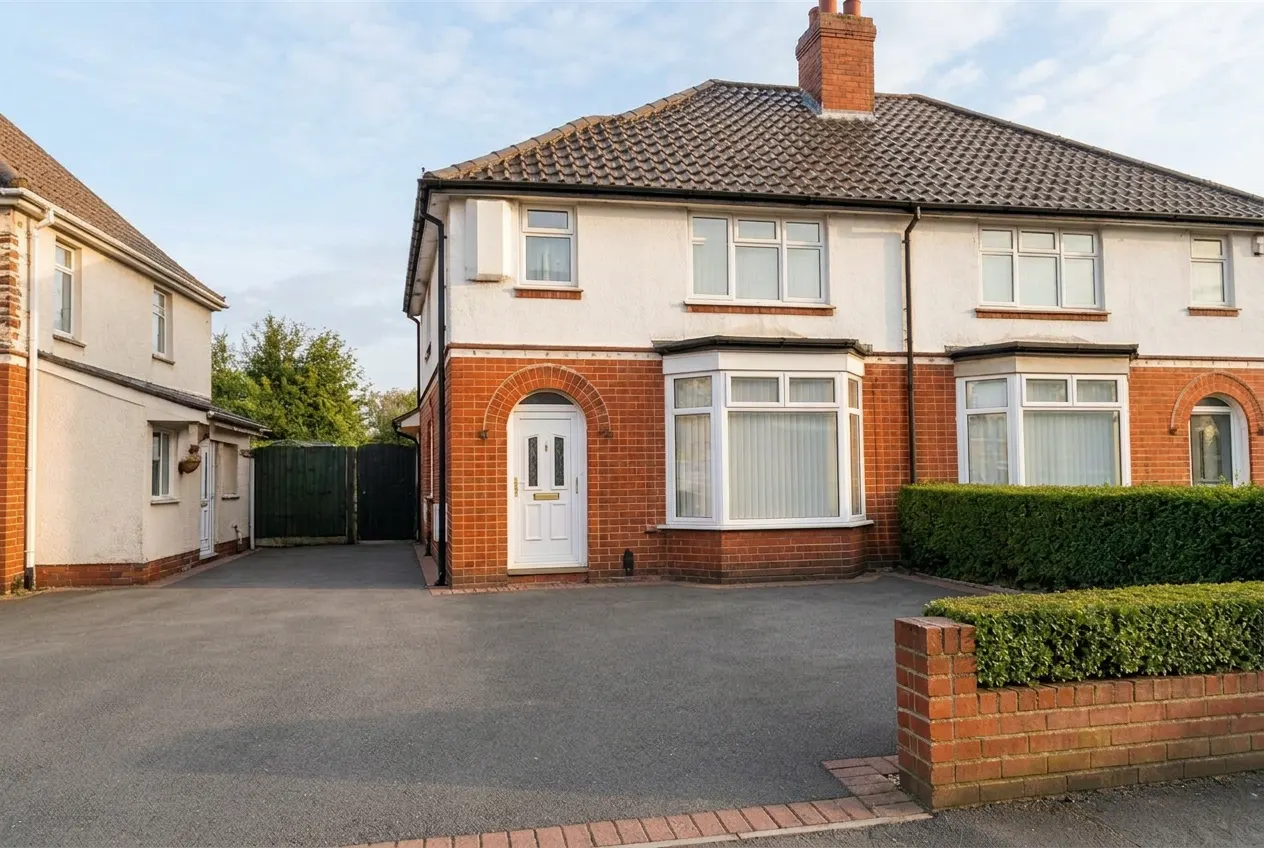
Bin & vehicle removal + sky replacement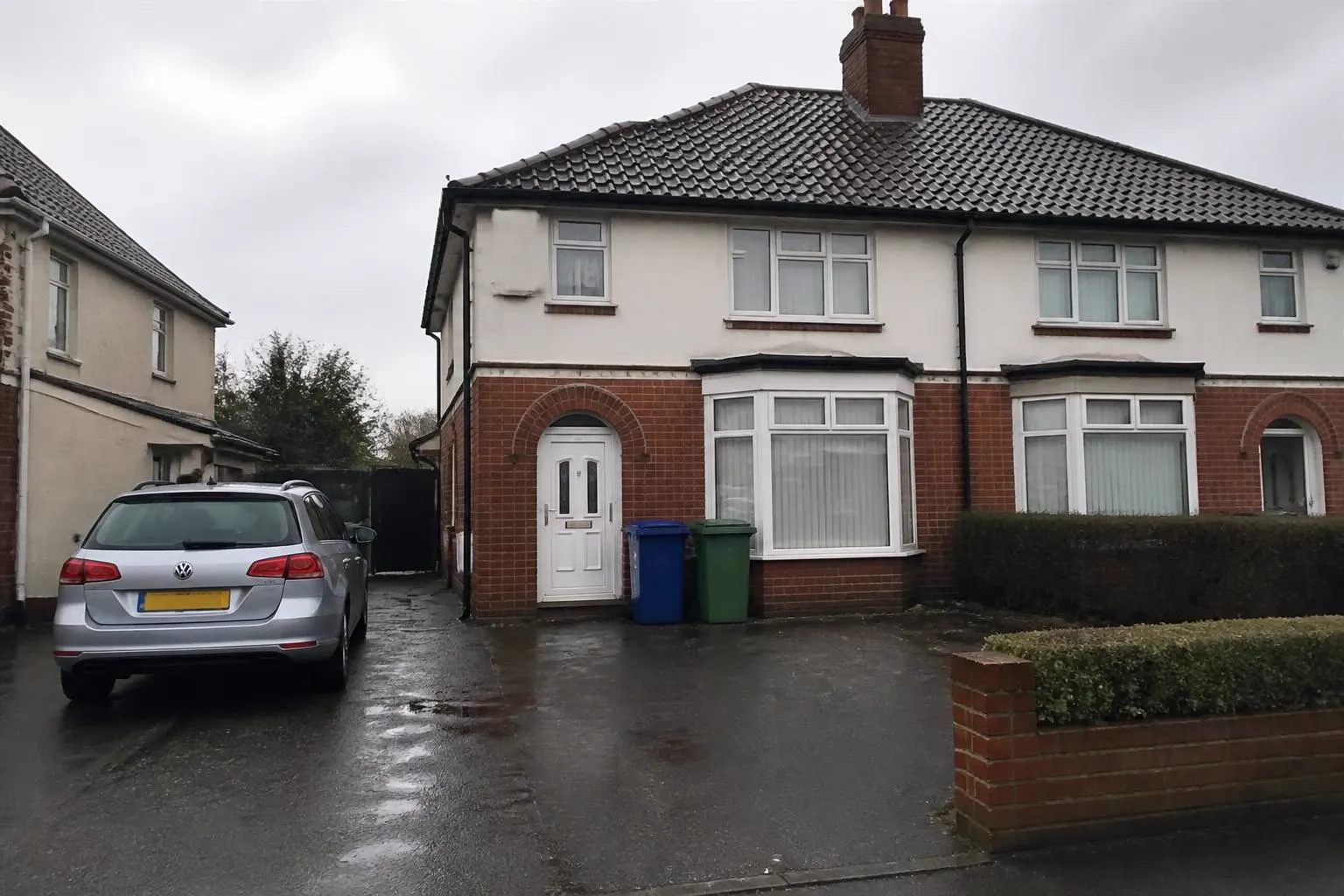
Real properties
Every example below started as a photo an agent or photographer already had. Nothing about the property has been changed.
Bins, wheelie bins and parked cars removed, dull sky replaced with bright daylight.
OriginalBin & vehicle removal + sky replacementPersonal items and clutter removed, natural daylight balanced — furniture and layout untouched.
 Original
 Declutter + daylight
Why agents use Pixetra
Generic AI photo editors work on one image at a time. Pixetra treats the listing as one job, so the whole set is consistent and ready to publish together.
No waiting on an editor or a retouching queue. A full property set is ready while the valuation notes are still fresh.
Consistent lighting, colour, cropping, watermark and file naming across every property your branches list.
Grey skies, dark rooms and cluttered surfaces are fixed from the shots you already have.
Photos are grouped by room, duplicates flagged and a sensible listing order suggested before you start.
One approved set becomes correctly sized downloads for the major portals, your own site and social media.
Credits are shown before an edit runs, and returned if Pixetra cannot produce a photo it is confident in.
Truth Lock
AI tools can quietly move a window, swap a worktop, smooth over damp or make a room look bigger. That is a problem you only find out about at a viewing. Truth Lock is there to stop it.
Windows, doors, radiators, floors, worktops, sockets and other permanent features stay exactly where they are.
Damp, cracks, damage and other genuine condition issues are left visible.
Failed checks are retried automatically. If Pixetra still cannot produce a safe result, your credits are returned.
How it works
No prompts, no photo-editing skills and no working through photos one at a time.
Add 20, 30 or 50 photos in one go. Pixetra sorts them into rooms, groups the angles and puts near-duplicates to one side.
Apply changes to the whole property, to every bedroom, to the exterior shots, or to one individual photo. No prompts to write.
See each edited photo beside the original, approve what you want, then download a package for each portal you advertise on.
For teams and branches
Negotiators, listers, photographers and marketing all work from the same property set, with the same standards applied.
Add colleagues, set who can approve photos and keep branches separated where you need to.
Save your brand kit and presets once so every property is prepared to the same standard.
See which properties are ready, which are waiting for approval and who approved what.
Responsible marketing
Pixetra records exactly what was changed on every photograph and gives you ready made digital edit labels. Account holders can require them, so everything the team produces stays compliant.
Virtual staging, decluttering and sky replacement carry the right label in your download.
Every edited photo stays linked to the original it came from, the edits used and who approved it.
You or your team see each edit beside the original before it can be downloaded.
Portal Intelligence
Choose where the property is being advertised and Pixetra prepares each photo to the right size, shape, format and file size.
Approve the property once, then take a separate ready-to-upload package for each portal you use.
Pixetra checks your hero shot against the way each portal displays it, so the best part of the photo stays in frame.
Solutions
Detailed guides and landing pages for the specific problems Pixetra solves.
Brighten, tidy and prepare whole property sets for listings.
Stage empty rooms for Rightmove, Zoopla and OnTheMarket.
Enhance exterior and interior shots without changing the property.
Built for agencies, letting agents and property marketers.
One approved set becomes correctly sized files for every portal.
Practical advice on property photography and portal compliance.
Pricing
50 free credits to begin. After that, every plan includes monthly credits and you can top up whenever you need to.
FAQ
Get started
Verify your work email and mobile number and we will add 50 credits to your account. Enough to prepare a full property. No card needed, and the credits last 30 days.